How to add a video to your website
1. Find a video on Youtube, or, upload a video to youtube.
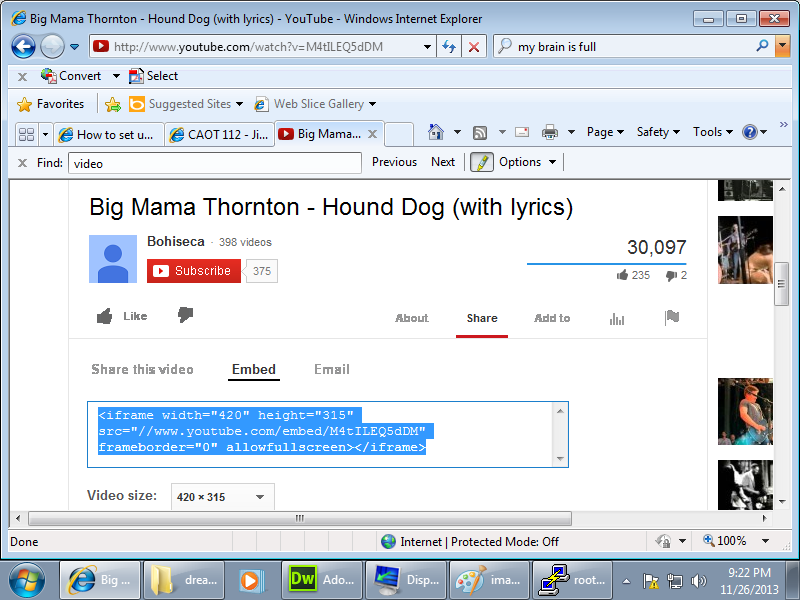
2. Find the share button, and then click on "embed". See picture below...
3. Find the text that is the embedded link. It starts with "<iframe." Make sure you get the whole thing. Half is not going to work.
For my video here is the embedded link code:
<iframe width="420" height="315"
src="http://www.youtube.com/embed/IkMhWQgkZ8c"
frameborder="0" allowfullscreen></iframe>
Note: sometimes Youtube forgets the "http://", but you need it. Add it if it is missing. See the example.
4. Paste this into your web page. See the example below.
5. Test it and make sure it works.